Turn complexity into clarity
ForceMetrics gives analysts a single lens into disparate systems, with tools that let them surface patterns, deliver briefings, and inform strategy without wasting hours on data wrangling. It’s not just analysis, it’s actionable insights on demand.

Automated aggregation, filtering, and visualization across datasets
Rapid creation of dashboards, reports, and recurring analytics
Shift from spreadsheet management to strategic advisory roles
Features that matter
Insights
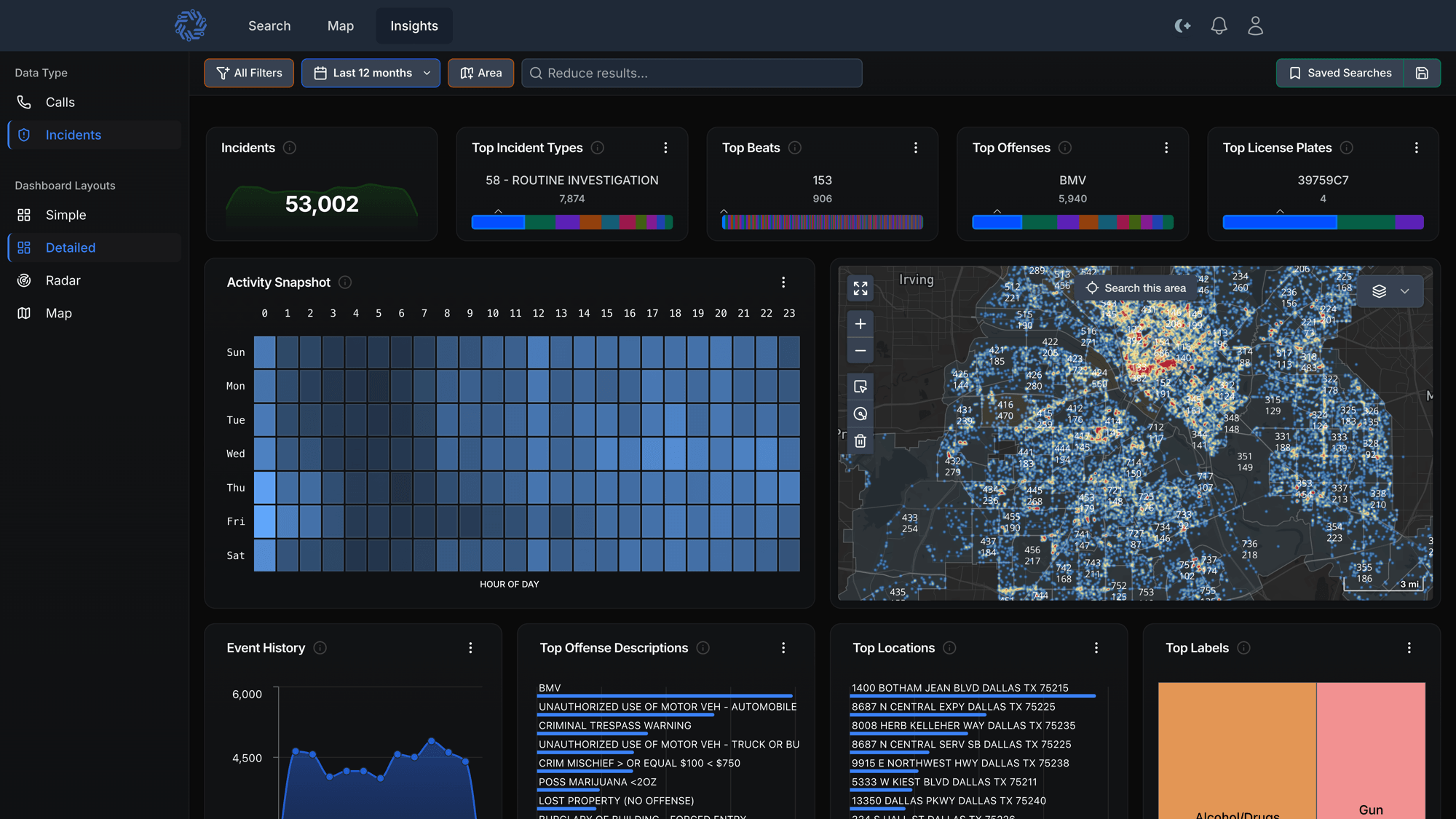
In public safety, speed and clarity can define strategy. Insights transforms static reports into a real-time decision engine that works from day one with no complex setup required. Built for command staff, analysts, and detectives alike, it delivers advanced analytical power through an interface anyone can navigate.
Filter and drill into data by time, location, event type, and more to reveal peak activity, high-demand areas, and resource-intensive individuals without hours of manual wrangling. From spotting emerging trends to evaluating deployment and measuring results, Insights gives agencies the flexibility to move seamlessly from big-picture strategy to the operational detail that drives action. With it, you don’t just analyze the past, you act on the present.
The end of static reporting
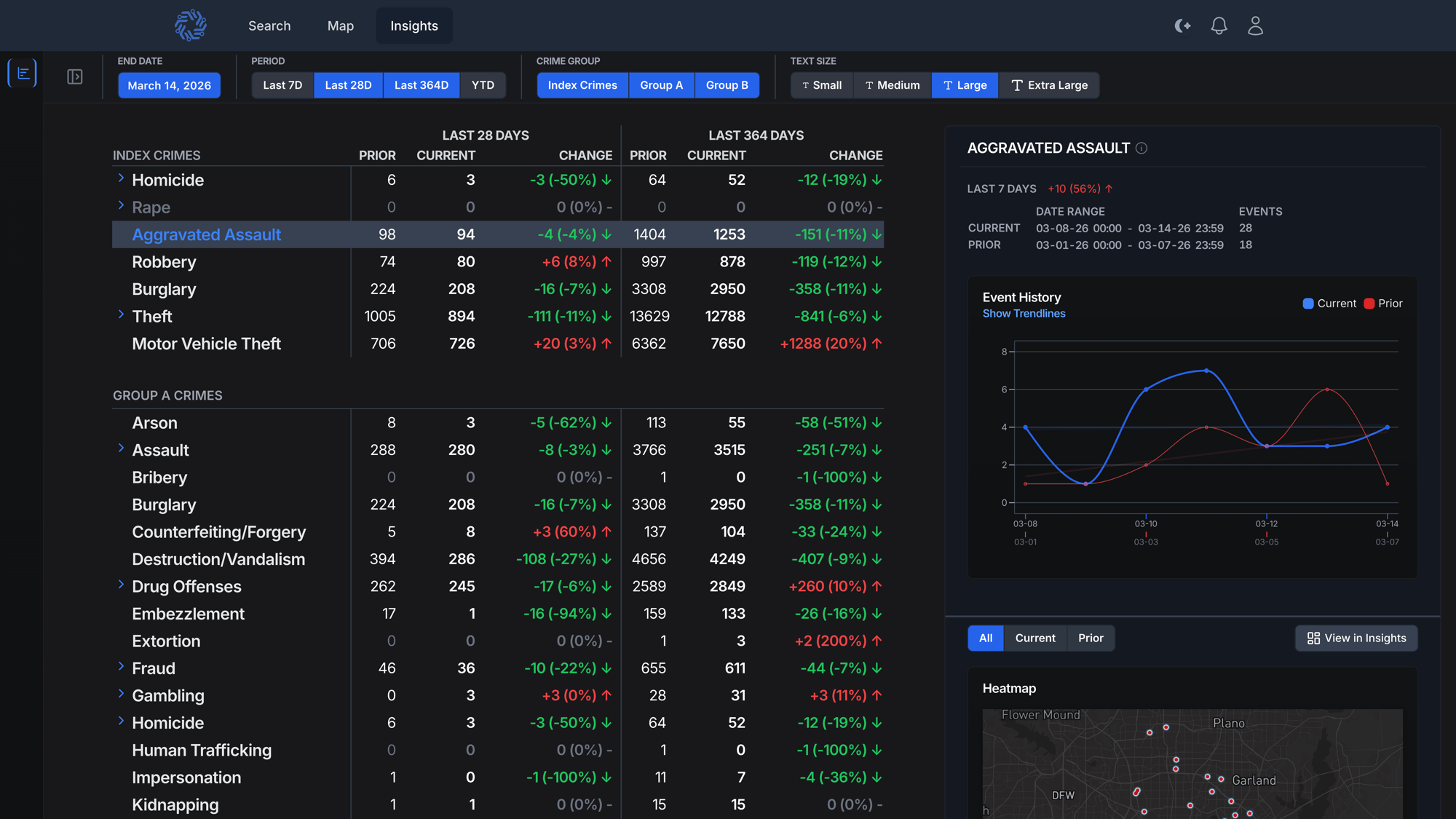
FMStat is a real-time analytics dashboard that gives command staff a clear and flexible view of their communities, helping them spot trends and issues as they develop. It provides a fully dynamic view of agency data, allowing you to move seamlessly from a strategic overview of crime trends and emerging issues to an operational, evidence-based view of what’s driving them.
By pulling live information from critical systems of record, FMStat replaces inflexible reports with real-time insights, saving hours of analytical work each week and freeing staff from the time-consuming task of compiling static reports. The result is faster decisions, stronger operational awareness, and measurable results. Traditional CompStat provides numbers. FMStat provides decisions and results.
Identify with speed and certainty
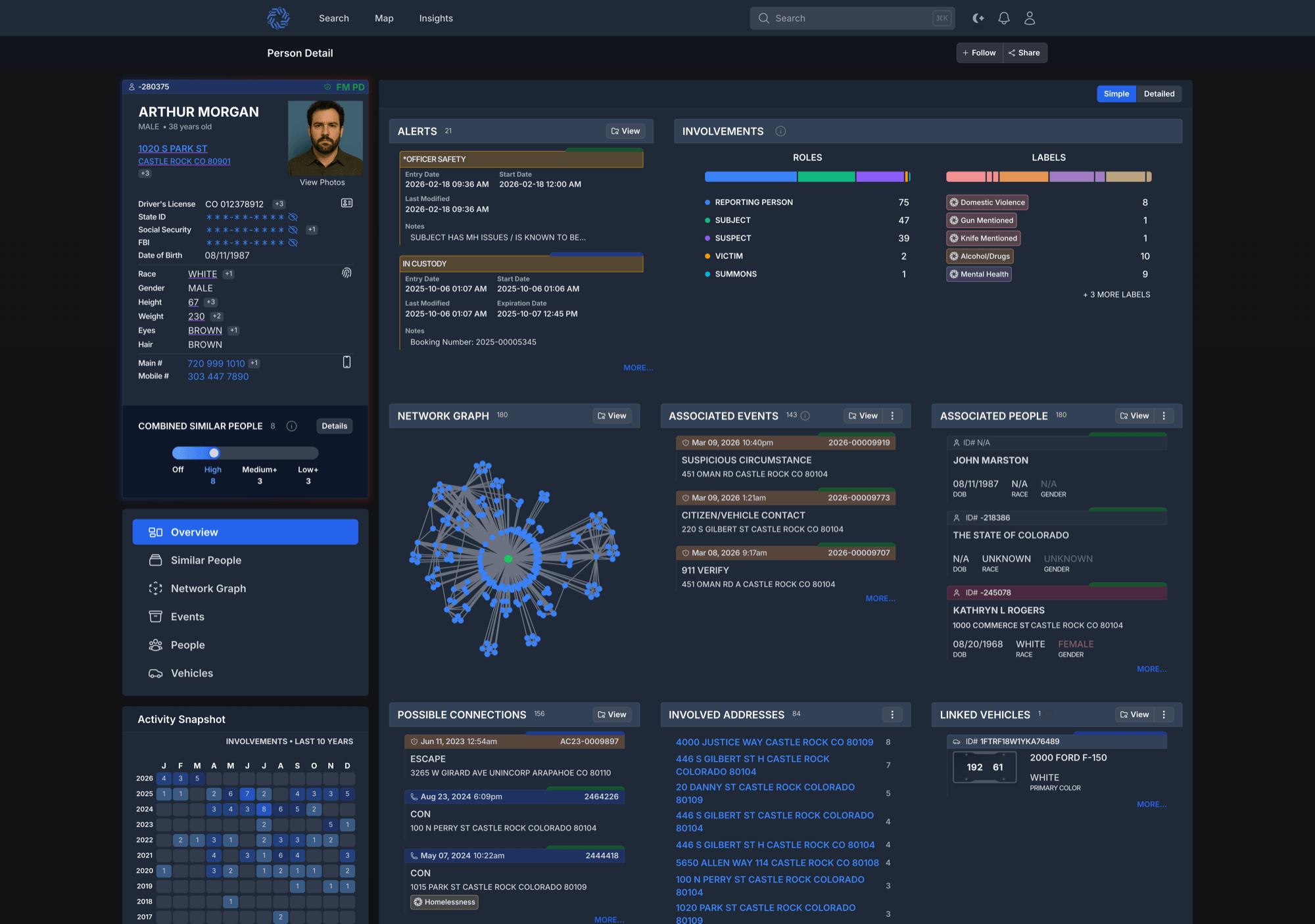
Knowing exactly who you are dealing with is critical. By combining your agency’s records with cross-jurisdictional data, Person Photos display stored images and mugshots directly within the platform for quick visual confirmation. This added context helps ensure the right person is identified, supporting faster and more confident decisions in the field and at the station.
When seconds matter, having a complete and accurate view of a person can change the outcome. Person Page brings together everything your agency knows, as well as what neighboring jurisdictions can contribute, into a single unified profile.
See key identifiers such as date of birth, age, and other attributes alongside person photos, officer safety alerts, related events, associated people, vehicles, and addresses.
Safety Signals from related events add additional context, while linked individuals and events make it easy to explore relationships. By consolidating and enriching data across multiple systems, Person Page delivers a clearer, more complete understanding of the person in front of you.
Know the place, know the pattern
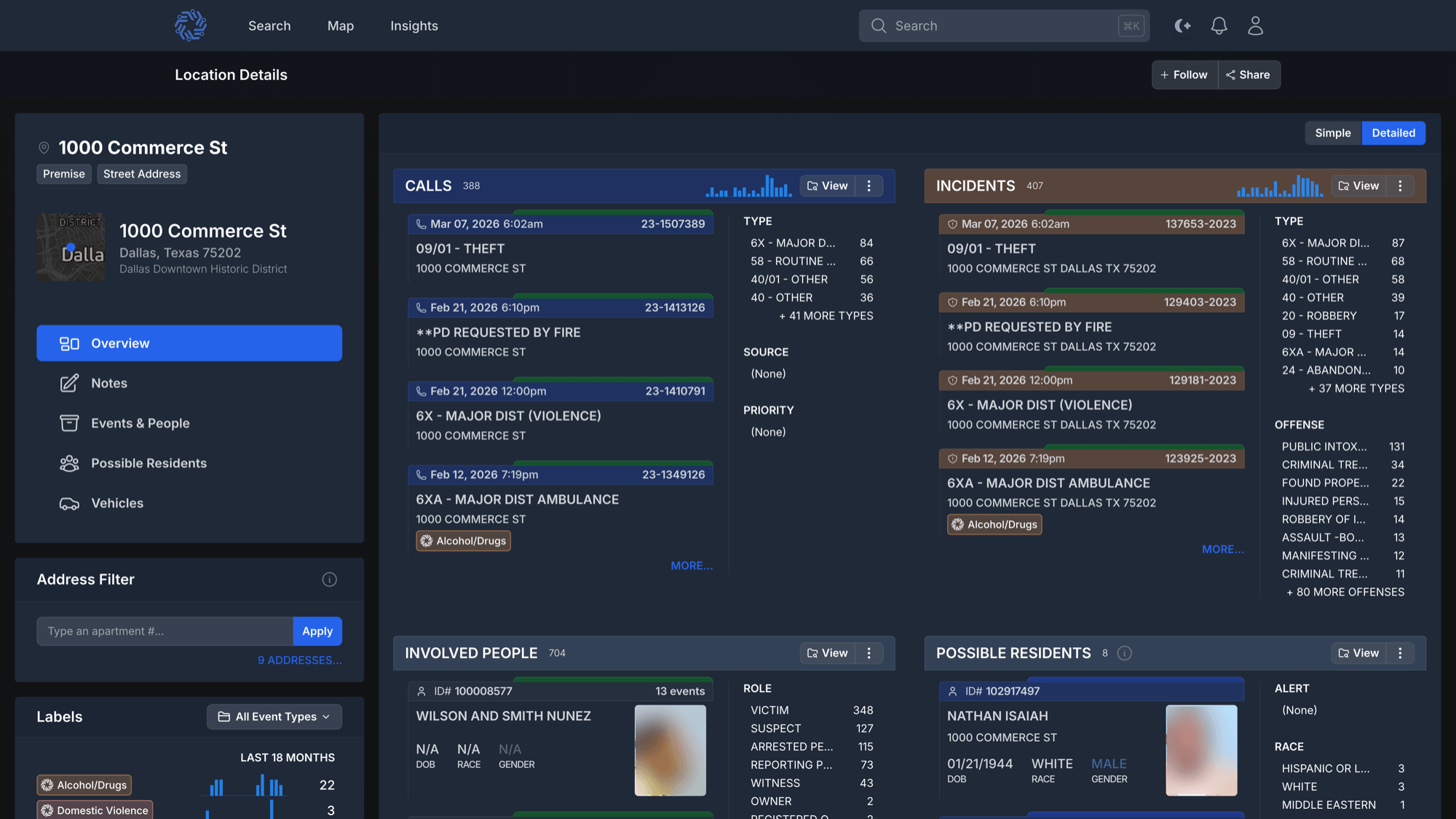
Understanding a location often means piecing together information from countless records, a process that can take hours or days of manual effort. Location Page does it in seconds. By aggregating data from multiple systems, including your agency’s records and enriched public and private sources, it creates a single unified view of any address or location. Location details, premise history, associated calls for service, incidents, people, and vehicles are brought together in one place.
Built-in time analysis highlights trends such as peak days and hours of activity, while location-specific Safety Signals add immediate context.
Every Location Page is generated dynamically, allowing users to drill into specific events, filter for deeper context, and uncover patterns that might otherwise go unnoticed.
Insights & analytics
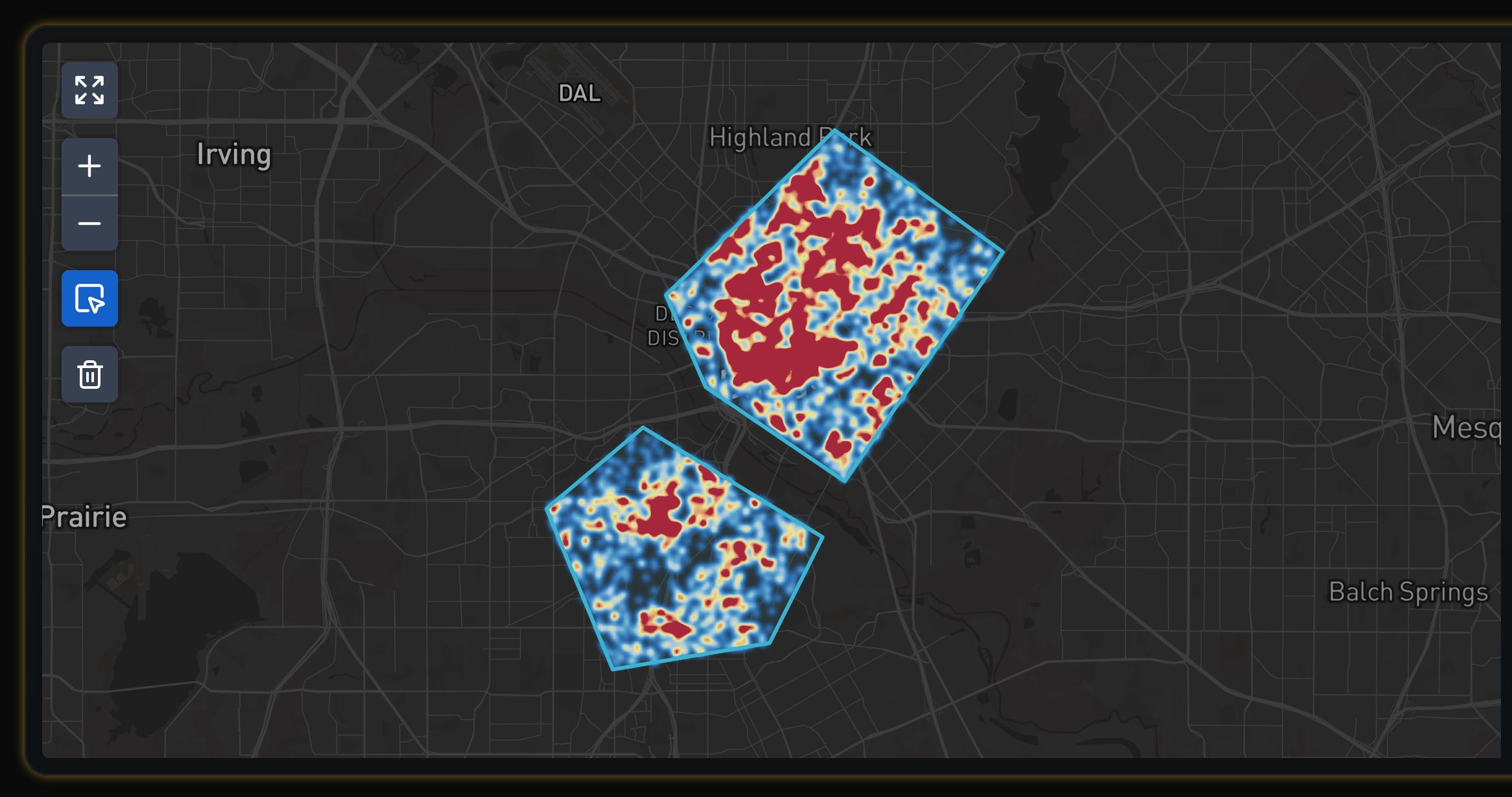
Seeing where activity concentrates is essential for planning and response. Map turns ForceMetrics Search results into an interactive geospatial view so supervisors, analysts, and command staff can understand patterns at a glance.
Use familiar pan and zoom controls, filter by time, area, and event type, and toggle map layers to focus on what matters. Clusters and hotspots help reveal concentrations of activity. Every point is clickable with a preview that shows key details, and you can pivot directly to the related event, person, vehicle, or location pages for deeper context.
Map brings cross-jurisdictional and multi-generation data together in one place, reducing manual map work and helping teams move from questions to answers in seconds.